
How to Login SSH via Terminal For Windows (PowerShell / Windows Terminal):
SSH login via terminal is the fastest way to access your VPS or server securely. This guide explains step-by-step instructions for Windows (PowerShell/Windows Terminal), macOS, and Linux so you can connect to your server safely and efficiently.
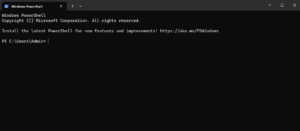
1. Press Win + X → Open Windows Terminal or PowerShell
2. Type:
3. Enter password
For macOS (Terminal) and Linux:
1. Open Terminal
2. Type:
3. Enter password
How to Exit SSH?
To logout safely: type
or press:
Click here to refer this article Simple Tutorial: How to Securely Access Your Linux VPS with PuTTY.