
Many people assume that if they are using good hosting, their website will always be fast. But in reality, even websites with high-quality hosting can still become slow.
So, why websites slow down even with good hosting? The answer is simple: hosting is only one part of performance. There are many other factors that affect speed, such as website structure, traffic handling, scripts, and optimization.
In this guide, we will break down the real reasons behind slow websites and how to fix them properly.
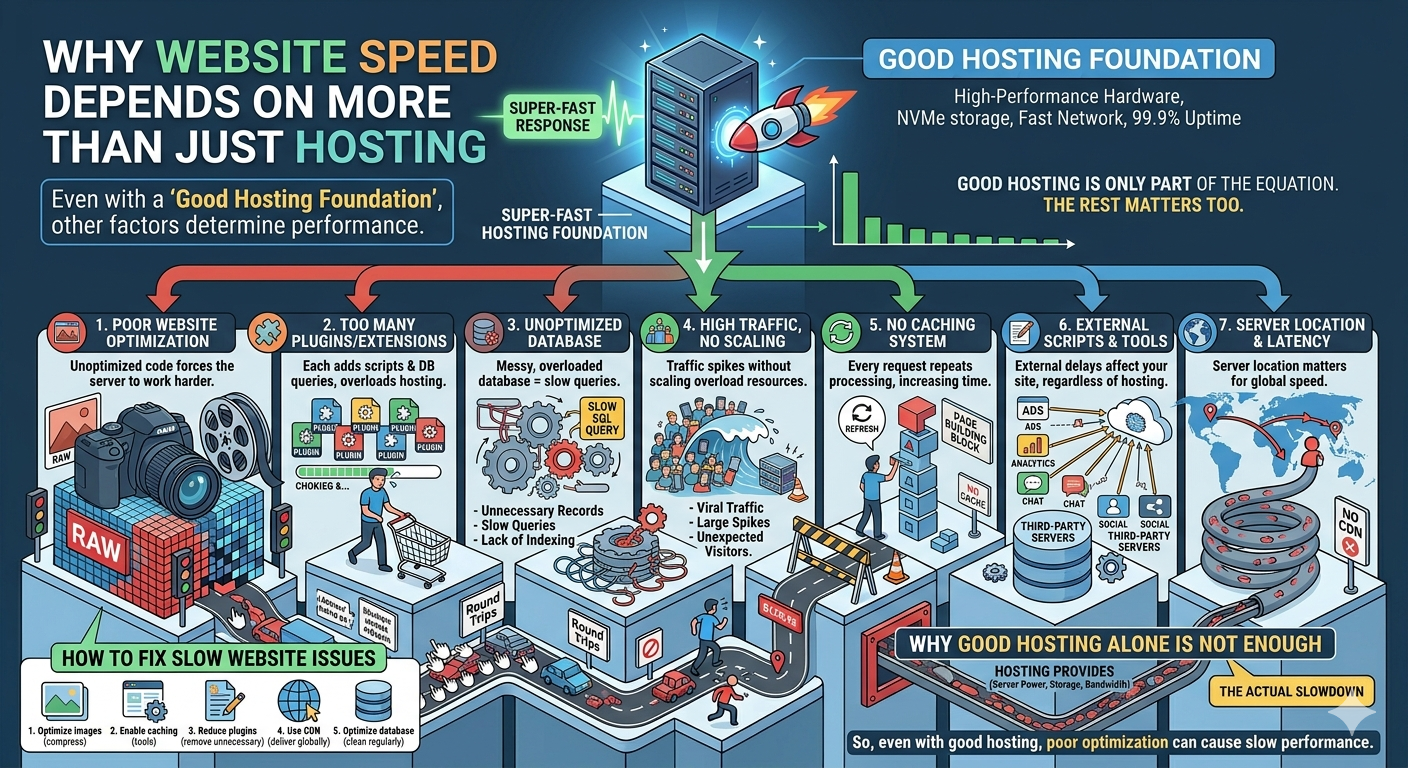
1. Poor Website Optimization
Even with strong hosting, a poorly optimized website will still be slow.
This includes:
- Large image files
- Uncompressed scripts
- Heavy CSS and JavaScript files
If your website is not optimized, the server has to work harder to load everything, which slows performance.
2. Too Many Plugins or Extensions
If you are using CMS platforms like WordPress, too many plugins can slow your website down.
Each plugin:
- Uses server resources
- Adds extra scripts
- Increases database queries
Even if hosting is powerful, too many plugins can overload it.
3. Unoptimized Database
Your database plays a big role in speed. If it is messy or overloaded, your website becomes slow.
Common issues include:
- Too many unnecessary records
- Slow database queries
- Lack of indexing
A slow database = slow website, no matter how good your hosting is.
4. High Traffic Without Proper Scaling
Good hosting can handle traffic—but only up to a limit.
If your website suddenly gets:
- Viral traffic
- Large user spikes
- Unexpected visitors
Then your server may struggle if it is not scaled properly.
5. No Caching System
Caching helps store static versions of your website so it loads faster.
Without caching:
- Every request goes to the server
- Server has to process everything repeatedly
- Load time increases
With proper caching, performance improves significantly.
6. External Scripts and Third-Party Tools
Many websites load external tools like:
- Ads
- Analytics
- Chat widgets
- Social media embeds
These external scripts can slow down your website because they depend on third-party servers.
Even if your hosting is fast, external delays still affect loading speed.
7. Server Location and Latency
Even with good hosting, server location matters.
If your server is far from your users:
- Data takes longer to travel
- Page load becomes slower
- Latency increases
For example, a server in the US may feel slow for users in Asia if there is no CDN.
Bonus: Browser and Device Differences
Another often ignored factor is the user’s device and browser.
A website might load fast on a high-end laptop but feel slow on:
- Older phones
- Low RAM devices
- Outdated browsers
This is why performance testing across devices is important.
How to Fix Slow Website Issues
Here are simple ways to improve performance:
1. Optimize images and files
Reduce file size without losing quality.
2. Enable caching
Use caching tools to reduce server workload.
3. Reduce plugins
Remove unnecessary plugins or scripts.
4. Use CDN
A CDN helps deliver content faster globally.
5. Optimize database
Clean and optimize database regularly.
Why Good Hosting Alone is Not Enough
Many people think upgrading hosting will fix everything, but that is not always true.
Hosting gives you:
- Server power
- Storage
- Bandwidth
But website speed also depends on:
- Code quality
- Optimization
- Traffic handling
- External resources
- Device performance
So even with good hosting, poor optimization can still cause slow performance.
Conclusion
So, why websites slow down even with good hosting? Because hosting is only one part of the system. Real performance depends on optimization, scripts, database health, caching, traffic management, and even user devices.
If you want a fast website, you need both:
- Good hosting
- Proper optimization
Only then your website can perform at its best in 2026 and beyond.
