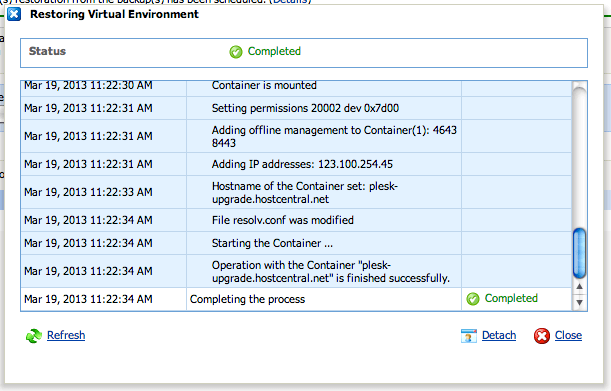
How to do a full restore of my VPS via VZPP/PVA control panel?
Applies to :
- Virtuozzo Linux (VPS) with VZPP/PVA enabled.
Requirements
To perform this task, you need to have :
- IP address or hostname of the VPS.
- Administrator (root) access of the VPS.
- At least 1 successful backup.
Instructions
To restore your VPS via VZPP panel you can follow below steps :
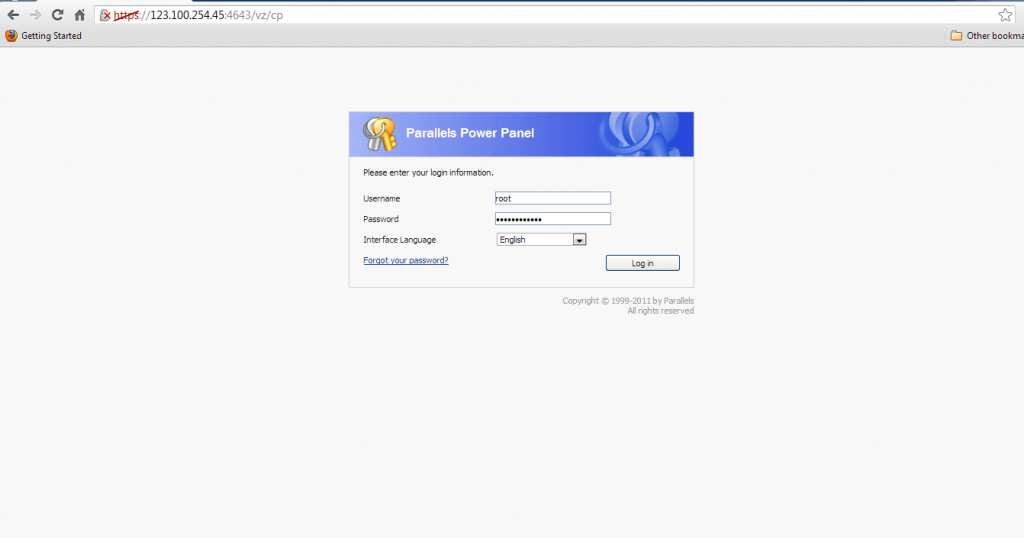
1. Open Parallels Power Panel and login using root access of your VPS. VZPP can be accessible from https://(your IP address):4643.
VPS via VZPP/PVA
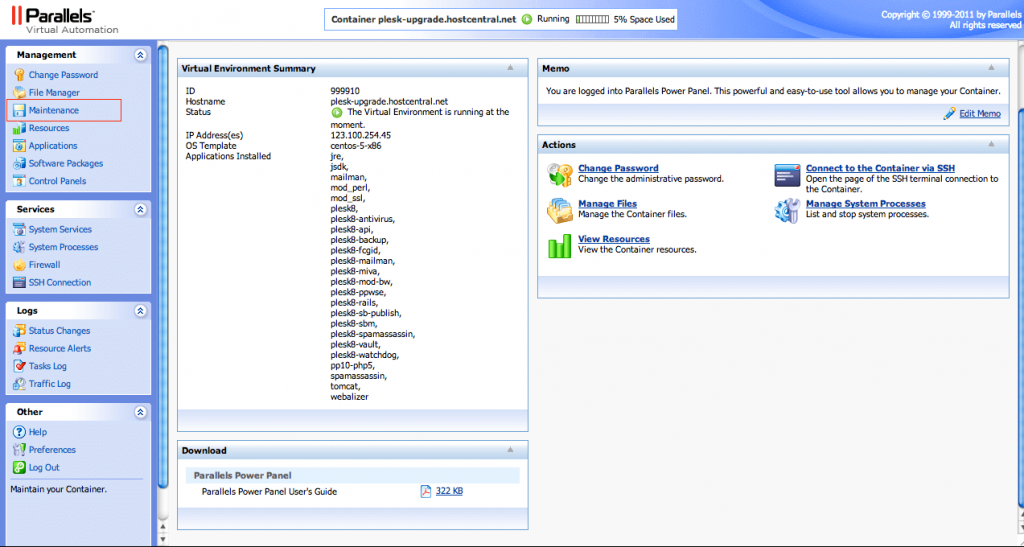
2. Go to Management > Maintenance.
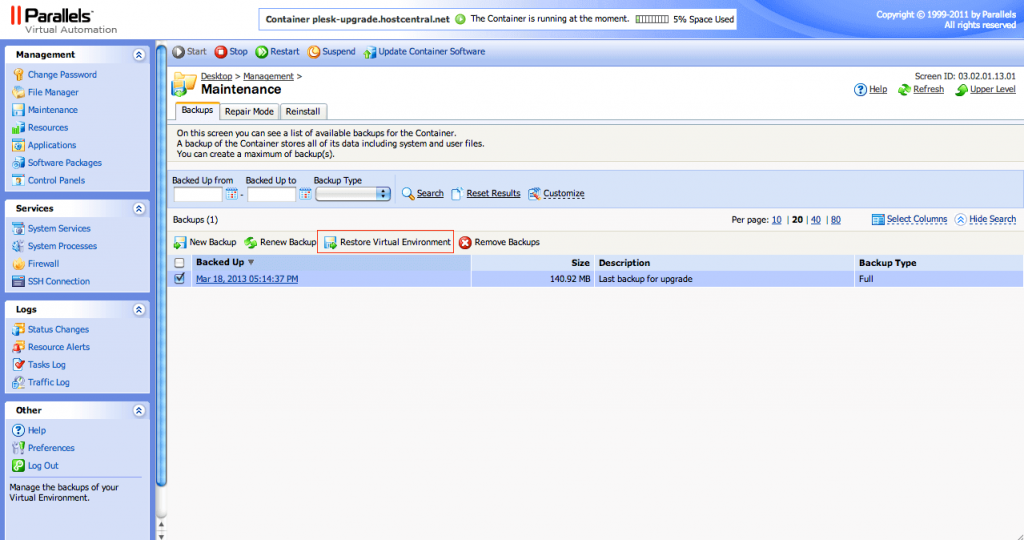
3. Under Backups tab, tick the backup data that you want to recover from the list then click Restore Virtual Environment.
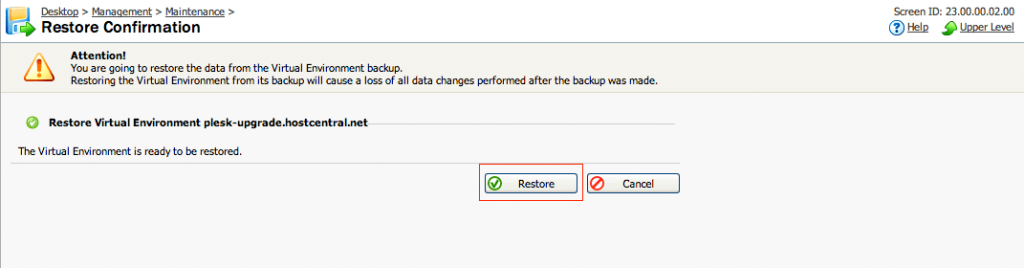
4. Please note the warning and click Restore to proceed with restoration process.\
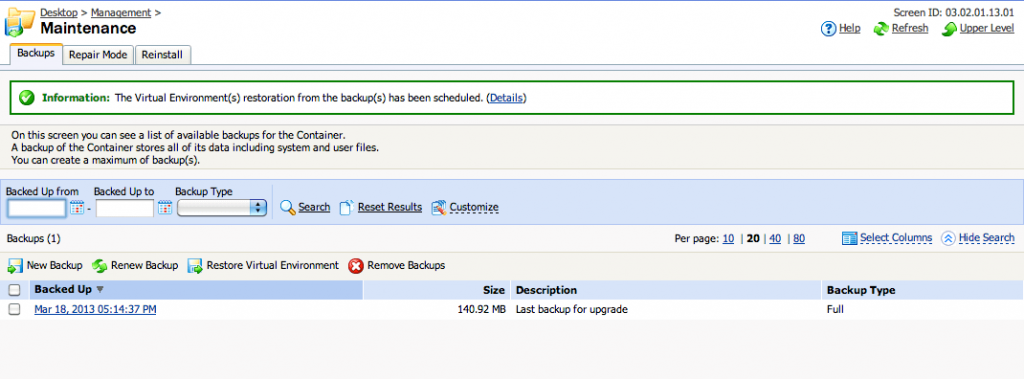
5. You can monitor the restore process by click Details in the Information show after you initiate the process or you can go to Task Log.
6. Restore is completed, now your VPS has successfully restored