
This article explains how to connect and access your Linux VPS using FinalShell via SSH.
Step 1: Open FinalShell
1) Launch FinalShell on your computer.
2) In the left panel, right-click on the folder icon
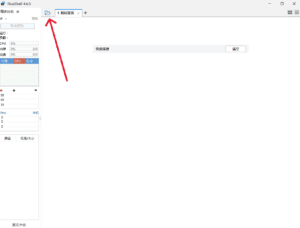
3) Click New Connection
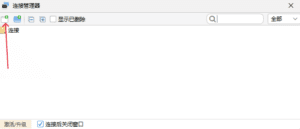
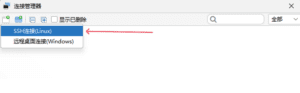
4) Select SSH connection (Linux)
Step 2: Create a New SSH Connection
In the New Connection windows, please enter:
- Name: you can enter any name (e.g. VPS 1)
- Host: Enter your VPS IP address
- Port Number: 22 (default SSH port)
- Method: password
- Enter your username (default: root) and your password
Then click OK.

Then, click on the name created for your VPS just now.
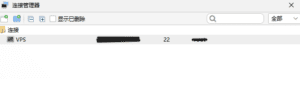
Step 3: Successful Connection
Once connected, you will see a terminal window. Show:
[root@hostname ~]#
This means your VPS is now accessible and ready to use.