
When it comes to website performance, most people focus on RAM, CPU, or storage type like NVMe. However, one of the most overlooked factors that directly affects website speed is server location. The physical distance between a user and a server can significantly impact loading time, user experience, and even SEO performance.
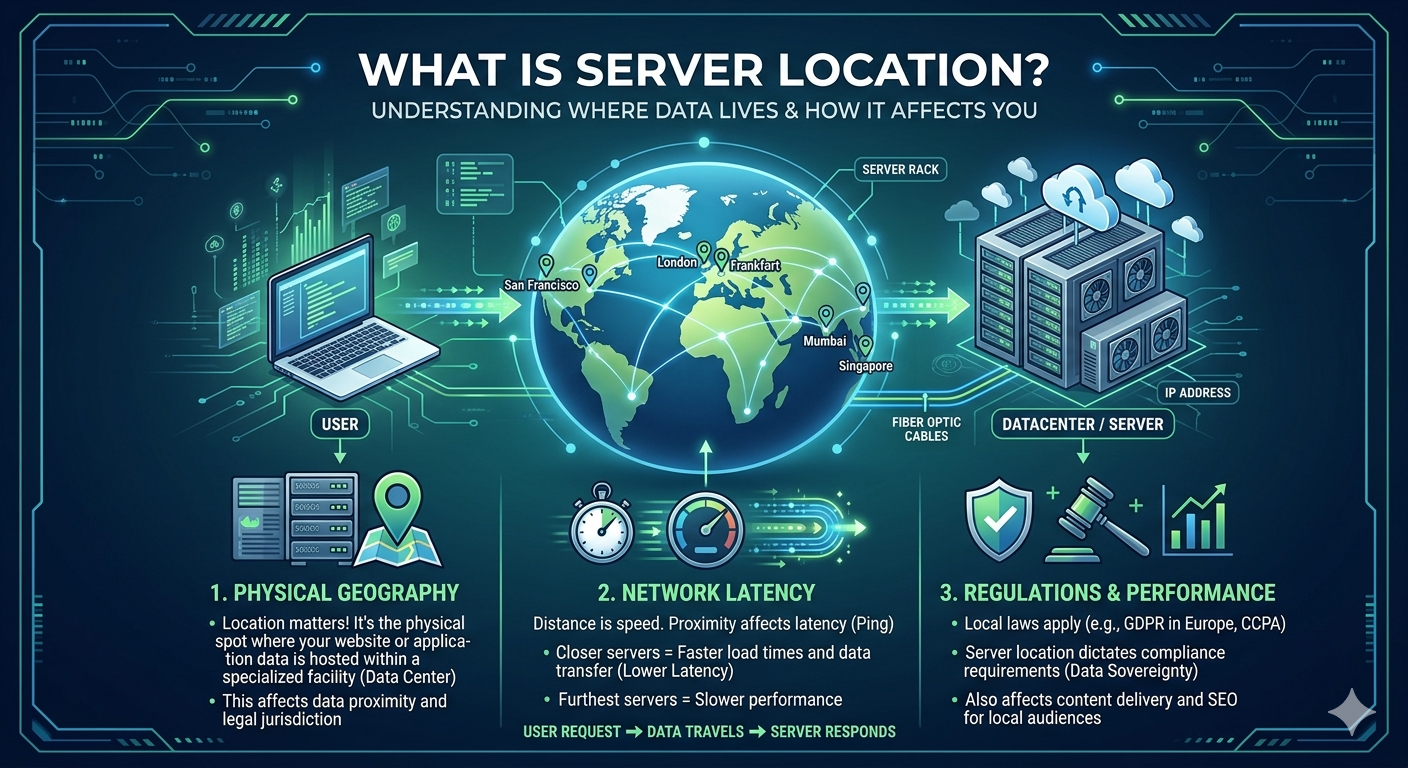
What Is Server Location?
Server location refers to the physical data center where your website is hosted. For example, your server could be located in Malaysia, Singapore, the US, or Europe. When a user visits your website, their request must travel from their device to that server and back again.
The longer the distance, the longer it takes for data to travel.
Why Distance Matters
Every time a user opens a website, data packets travel through multiple network nodes before reaching the server. This process is called latency.
Latency∝Distance between user and server
In simple terms:
- Closer server = lower latency = faster website
- Farther server = higher latency = slower website
Even a delay of 100–200 milliseconds can be noticeable for users, especially on modern fast websites.
Latency is affected not only by distance but also by network routing, ISP quality, and congestion along the path. That is why two users in different countries may experience completely different loading speeds even when accessing the same website.
Real Example
If your server is located in Malaysia:
- Users in Malaysia → very fast response
- Users in Singapore → still fast
- Users in Europe or US → noticeably slower loading time
This difference becomes even more obvious when the website has heavy content such as images, videos, or dynamic applications.
That’s why global companies use multiple data centers or CDNs (Content Delivery Networks) to reduce distance and improve consistency across regions.
Role of CDN (Content Delivery Network)
A CDN stores cached versions of your website in multiple locations around the world. Instead of always loading data from one central server, users are served from the nearest edge location.
This helps to:
- Reduce latency
- Improve loading speed globally
- Handle traffic spikes better
- Reduce load on the main server
Even if your main server is in one country, a CDN can make it feel like your website is “closer” everywhere.
Impact on User Experience
Website speed affects more than just loading time:
- Higher bounce rate if website is slow
- Lower conversion rate (sales drop)
- Poor mobile experience on slow networks
- Reduced trust in the website
Studies show that users expect websites to load in under 3 seconds, and even small delays can significantly affect engagement.
In e-commerce, a delay of just one second can reduce conversions noticeably, especially on mobile users.
SEO Impact
Search engines like Google also consider speed as a ranking factor. If your website is slow due to poor server location, it can indirectly affect your SEO ranking.
Google prioritizes:
- Fast-loading websites
- Good user experience
- Low latency responses
Server location can also influence how quickly search engine bots crawl your website. Faster response times allow better indexing efficiency.
How to Improve It
If server location is affecting your website, here are practical solutions:
- Choose a server location closer to your target audience
- Use CDN (like Cloudflare) to cache content globally
- Optimize website assets (compress images, minify scripts)
- Enable HTTP/2 or HTTP/3 for faster connections
- Select hosting providers with multiple data center options
Sometimes, combining a nearby server with CDN gives the best balance between speed and cost.
Conclusion
Server location might look like a small technical detail, but it plays a huge role in website performance. Choosing the right location can make your website faster, improve user experience, and even boost SEO rankings.
In modern hosting, speed is not just about hardware — it is about proximity, routing, and global delivery strategy.
For businesses targeting international users, ignoring server location can silently hurt performance without obvious server-side issues.
