
Introduction
Server security is one of the most important parts of managing any online infrastructure. Without proper monitoring, attackers can quietly exploit vulnerabilities and cause serious damage before you even notice.
That is why it is crucial to detect suspicious activity on your server early. Early detection helps prevent data breaches, downtime, and system compromise.
In this article, we will explore the most common warning signs and how you can identify them before they become critical problems.
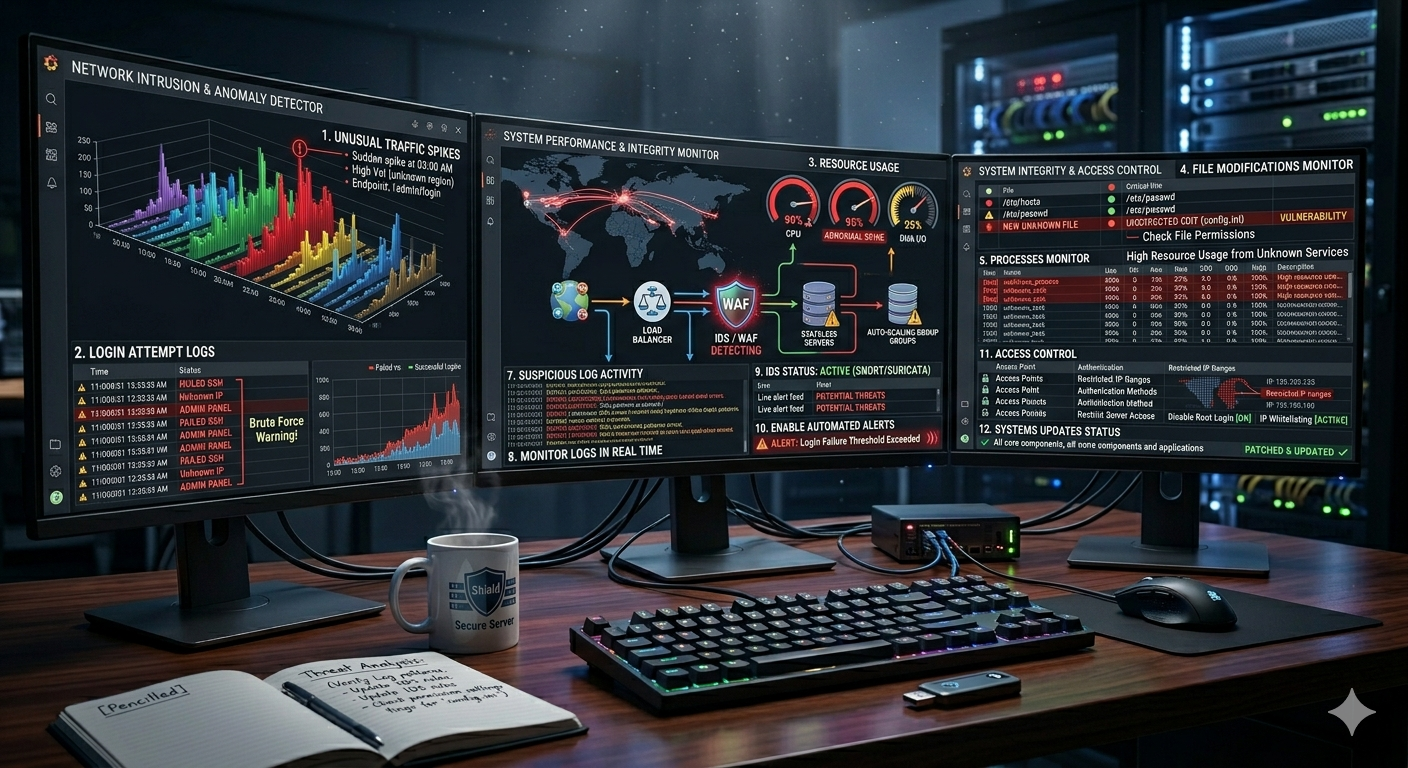
1. Unusual Traffic Spikes
One of the first indicators of suspicious activity is abnormal traffic patterns.
This may include:
- Sudden spikes in traffic during unusual hours
- High volume requests from unknown regions
- Repeated hits on specific endpoints
These patterns often indicate bot attacks, scraping activity, or probing attempts.
2. Failed or Unknown Login Attempts
Repeated login attempts are a major warning sign.
Look for:
- Multiple failed SSH or admin login attempts
- Login attempts from unfamiliar IP addresses
- Access attempts outside normal working hours
These may indicate brute force attacks or unauthorized access attempts.
3. High CPU or Memory Usage
Unexpected resource spikes can signal malicious processes running on your server.
Common symptoms:
- CPU usage stays high without reason
- Memory usage increases suddenly
- Server response becomes slow or unstable
These issues often occur when attackers run scripts or mining processes.
4. Suspicious File Modifications
Unauthorized changes to system files should never be ignored.
Warning signs include:
- New unknown files in directories
- Unexpected edits to configuration files
- Changes in file permissions
These can indicate that someone has gained access to your system.
5. Unknown Running Processes
Attackers often hide malicious processes within the system.
Watch for:
- Processes with unfamiliar names
- High resource usage from unknown services
- Background tasks you did not install
Regular process monitoring is essential for early detection.
6. Unusual Network Connections
Monitoring network activity can reveal hidden threats.
Red flags include:
- Connections to unknown external IPs
- Unusual port usage
- Continuous outbound data transfers
These may indicate data exfiltration or command-and-control communication.
7. Suspicious Logs Activity
Server logs are one of the most powerful tools for detection.
Check for:
- Repeated access attempts to sensitive endpoints
- SQL injection patterns
- Unauthorized API calls
- Consistent error spikes
Logs often reveal the earliest signs of an attack.
8. Monitor Server Logs in Real Time
Real-time log monitoring helps you respond quickly to threats.
It allows you to detect:
- Unauthorized access attempts
- Abnormal request patterns
- System errors and anomalies
Using live monitoring tools ensures faster response time.
9. Use Intrusion Detection Systems
Intrusion Detection Systems (IDS) help automate threat detection.
They analyze traffic and system behavior to identify suspicious activity.
Popular tools include Snort and Suricata.
Benefits include:
- Early threat detection
- Real-time alerts
- Reduced manual monitoring workload
10. Enable Automated Alerts
Manual monitoring is not enough for modern servers.
You should configure alerts for:
- Login failures
- Traffic spikes
- CPU or memory anomalies
- File system changes
This ensures immediate notification when something unusual happens.
11. Restrict Server Access
Limiting access reduces attack surface significantly.
Best practices:
- Use SSH key authentication
- Disable root login when possible
- Restrict access by IP address
Fewer access points mean fewer opportunities for attackers.
12. Keep Systems Updated
Outdated systems are one of the most common security risks.
Always:
- Update operating systems regularly
- Patch security vulnerabilities
- Keep applications and dependencies updated
Updates help close known security gaps.
Conclusion
The ability to detect suspicious activity on your server early is essential for maintaining a secure and stable system.
Most attacks do not happen instantly—they start with small warning signs like unusual traffic, login attempts, file changes, or system spikes.
By actively monitoring logs, using security tools, enabling alerts, and restricting access, you can detect threats early and prevent serious damage.
