
Introduction
Website updates are meant to improve performance, security, and functionality. However, in many cases, updates end up causing unexpected issues where the website breaks after updates.
This can include broken layouts, missing features, error messages, or even a complete site crash. These problems usually happen due to compatibility issues, poor update processes, or server misconfigurations.
Understanding the real causes behind these failures is important to prevent downtime and keep your website stable.
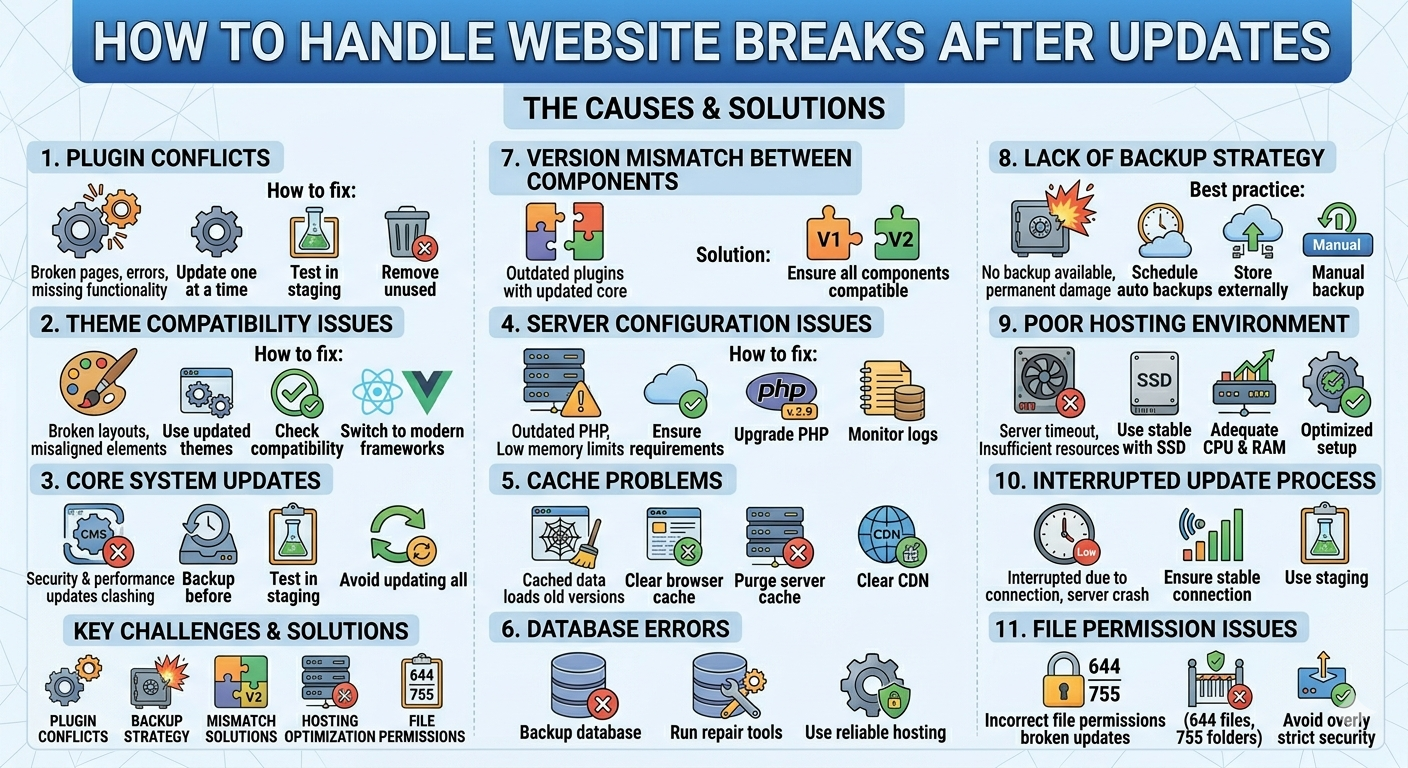
1. Plugin Conflicts
One of the most common reasons a website breaks after updates is plugin conflicts.
When plugins are updated, they may not always work well with:
- Other plugins
- The active theme
- The core system version
This can result in broken pages, errors, or missing functionality.
How to fix:
- Update plugins one at a time
- Test updates in a staging environment
- Remove unused or outdated plugins
2. Theme Compatibility Issues
Themes control the structure and design of your website. After updates, older themes may not be compatible with new system changes.
This can cause:
- Broken layouts
- Misaligned elements
- Styling issues
How to fix:
- Always use updated themes
- Check compatibility before updating
- Consider switching to modern frameworks if needed
3. Core System Updates
CMS platforms like WordPress frequently release updates for security and performance. However, these updates may not always align with older themes or plugins.
This mismatch can cause instability.
Best practice:
- Always backup before updating
- Test updates in a staging environment first
- Avoid updating everything at once
4. Server Configuration Issues
Sometimes the issue is not the website itself, but the server environment.
Incorrect settings such as:
- Outdated PHP version
- Low memory limits
- Improper server configuration
can cause the website to break after updates.
How to fix:
- Ensure server meets system requirements
- Upgrade PHP when needed
- Monitor server error logs
5. Cache Problems
After updates, cached data may still load old versions of your website.
This can make it appear broken even when the update is successful.
How to fix:
- Clear browser cache
- Purge server cache
- Clear CDN cache if used
6. Database Errors
Some updates modify database structure. If the process is interrupted or incompatible, it can lead to missing data or broken features.
How to prevent:
- Always backup the database
- Run database repair tools if needed
- Use reliable hosting with auto-backup support
7. Version Mismatch Between Components
Another hidden issue is version mismatch between system components.
For example:
- Updated CMS with outdated plugins
- New theme with old core system
- Incompatible PHP version
This creates instability and unexpected errors.
Solution:
Always ensure all components are compatible before applying updates.
8. Lack of Backup Strategy
Many website failures become serious because there is no backup available.
Without backups, even a small update error can cause permanent damage.
Best practice:
- Schedule automatic backups
- Store backups externally (cloud or remote server)
- Always create a manual backup before updates
9. Poor Hosting Environment
Low-quality hosting can also cause update failures.
Common issues:
- Server timeout during updates
- Insufficient resources
- Slow processing
Solution:
Use stable hosting with:
- SSD storage
- Adequate CPU and RAM
- Optimized server setup
10. Interrupted Update Process
If an update is interrupted due to connection issues or server crash, files can become corrupted.
This can immediately break your website.
Prevention:
- Avoid updates during peak traffic
- Ensure stable connection
- Use staging environment whenever possible
11. File Permission Issues
Incorrect file permissions can prevent updates from completing properly.
This may lead to partial updates or broken functionality.
Fix:
- Set correct permissions (644 files, 755 folders)
- Avoid overly strict server security rules
- Use proper deployment methods
Conclusion
A website breaks after updates due to a combination of technical and process-related issues, not because updates themselves are harmful.
Most problems come from:
- Plugin and theme conflicts
- Poor server configuration
- Missing backups
- Lack of testing before deployment
By following a proper update workflow—backup, test, and deploy carefully—you can keep your website stable, fast, and reliable at all times.
