Introduction
A sudden spike in website traffic spike sounds like a dream—more visitors, more engagement, and potentially more sales. But without proper preparation, this surge can quickly turn into a nightmare.
Instead of handling the load smoothly, your server may slow down, crash, or become completely inaccessible. This not only frustrates users but can also damage your brand reputation and result in lost revenue.
In this guide, you’ll learn why traffic spikes cause server crashes and, more importantly, how to prevent it effectively in 2026.
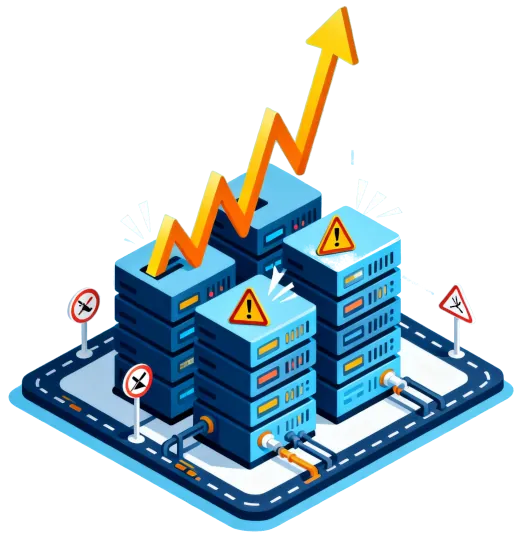
Why Traffic Spikes Crash Your Server
Before fixing the issue, you need to understand what’s happening behind the scenes.
When too many users access your website at the same time:
- Your CPU gets overloaded processing requests
- Your RAM runs out handling sessions
- Your bandwidth becomes saturated
- Your database struggles with multiple queries
If your hosting environment isn’t optimized for high traffic, everything starts to bottleneck—and eventually fails.
1. Upgrade to Scalable Hosting
One of the biggest mistakes is relying on hosting that cannot scale.
Shared hosting, for example, has strict limits. When traffic increases, your website competes with others on the same server.
Better options:
- VPS Hosting → More control and dedicated resources
- Cloud Hosting → Automatically scales with traffic
- Dedicated Server → Maximum performance for high-demand websites
👉 If you expect spikes (campaigns, ads, viral content), scalable hosting is not optional—it’s essential.
2. Use a Content Delivery Network (CDN)
A CDN distributes your website content across multiple global servers.
Instead of every visitor hitting your main server:
- Static content (images, CSS, JS) is served from nearby locations
- Your origin server handles fewer requests
Result:
- Faster loading times
- Reduced server load
- Better user experience globally
This is one of the easiest and most powerful ways to prevent overload.
3. Enable Caching (Critical Step)
Without caching, your server processes every request from scratch.
With caching:
- Pages are stored as static versions
- Users are served pre-built content instead of dynamic processing
Types of caching:
- Browser caching
- Server-side caching
- Application caching (e.g., WordPress plugins)
👉 Proper caching can reduce server load by up to 80%.
4. Optimize Your Database
During traffic spikes, databases often become the main bottleneck.
Common issues:
- Slow queries
- Too many connections
- Unoptimized tables
Fix it by:
- Cleaning unused data
- Indexing important queries
- Limiting simultaneous connections
- Using database caching
A fast database = stable website under pressure.
5. Load Balancing for High Traffic
Load balancing spreads traffic across multiple servers instead of relying on just one.
How it works:
- Incoming requests are distributed evenly
- No single server gets overwhelmed
Benefits:
- Higher reliability
- Better performance
- No single point of failure
This is especially useful for:
- E-commerce sites
- SaaS platforms
- High-traffic campaigns
6. Monitor Server Performance in Real-Time
You can’t fix what you can’t see.
Monitoring tools help you track:
- CPU usage
- RAM usage
- Traffic patterns
- Error rates
Why it matters:
- Detect issues before crashes happen
- Identify unusual traffic spikes (including bots or attacks)
👉 Prevention always starts with visibility.
7. Protect Against Malicious Traffic
Not all traffic spikes are good.
Sometimes, sudden traffic is caused by:
- Bots
- Scrapers
- DDoS attacks
Protection methods:
- Firewall configuration
- Rate limiting
- Anti-DDoS protection
- Blocking suspicious IPs
Filtering bad traffic ensures real users can still access your website.
8. Prepare for Traffic in Advance
Most crashes happen because of poor planning.
Before running campaigns or promotions:
- Stress-test your server
- Simulate high traffic
- Upgrade resources temporarily
- Ensure backups are ready
Think of it like preparing for a sale—you don’t wait for customers to arrive before getting ready.
Conclusion
Traffic spikes are a sign that your website is growing—but without the right setup, they can do more harm than good.
By using scalable hosting, enabling caching, optimizing your database, and preparing in advance, you can handle massive traffic without downtime.
In 2026, performance and reliability are not optional. If your server cannot handle growth, your business will struggle to keep up.
👉 The goal isn’t just to get more traffic—it’s to handle it without breaking your website.