
Server logs are one of the most important tools in web hosting and server management. Many beginners ignore them, but professionals use them every day to understand what is happening inside a server.
Server logs explained simply means learning how to read and understand log files so you can detect errors, troubleshoot problems, and improve website performance.
If your website ever breaks, slows down, or shows errors, server logs are usually the first place experts check.
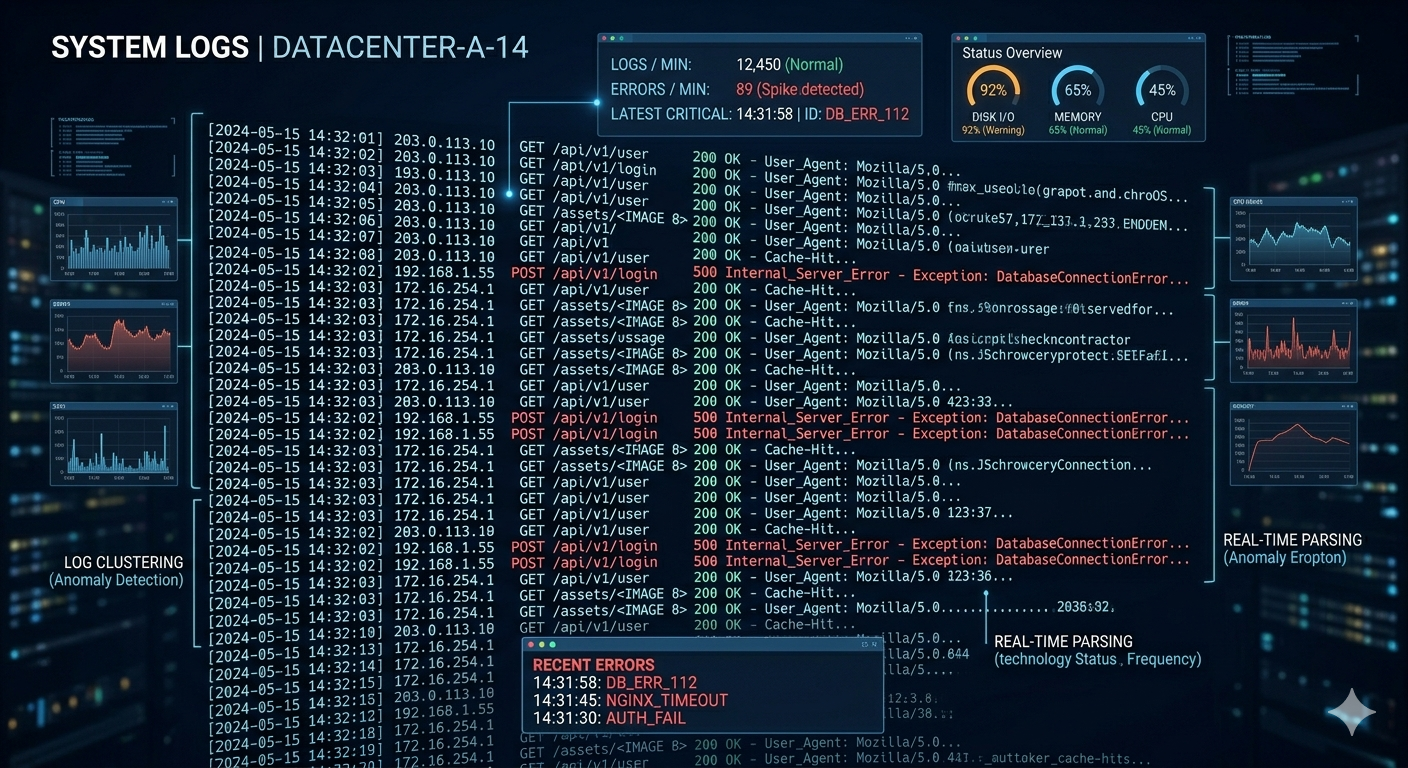
What Are Server Logs?
Server logs are files that record everything happening on a server. Every request, error, or system action is written into these logs automatically.
For example, server logs can show:
- When someone visits your website
- What page they accessed
- What error happened
- What system action was triggered
There are different types of logs, such as:
- Error logs
- Access logs
- System logs
Each one gives different information about your server activity.
Why Server Logs Are Important
Server logs help you understand what is happening behind your website. Without logs, you are basically guessing when something goes wrong.
With server logs, you can:
- Detect errors faster
- Fix website issues
- Monitor traffic activity
- Improve server performance
This is why developers and hosting providers rely heavily on log files.
7 Powerful Ways to Read Server Logs Like a Pro
1. Start with error logs
Error logs show problems happening on your server. This is the first place you should check when something breaks.
2. Look for timestamps
Every log entry has a time. This helps you match errors with when the problem happened.
3. Identify error codes
Common errors include:
- 404 (Not Found)
- 500 (Server Error)
- 502 (Bad Gateway)
These codes help you understand what type of issue occurred.
4. Check access logs
Access logs show who visited your website and what they did. This helps track user activity.
5. Look for repeated errors
If the same error keeps appearing, it usually means a deeper issue in your system.
6. Understand log patterns
Sometimes logs show patterns like high traffic spikes or repeated requests that can affect performance.
7. Use logs for troubleshooting
When your website has issues, server logs help you find the exact cause instead of guessing.
Common Server Log Locations
Depending on your hosting setup, server logs are usually found in:
- Apache servers
- Nginx servers
- Hosting control panels
- VPS systems
Most hosting providers give access to logs through dashboard tools or file managers.
Example of Server Log Usage
Let’s say your website suddenly shows a 500 error.
Instead of guessing:
- You check server logs
- You find a PHP script error
- You fix the code issue
- Website works again
This is how professionals solve problems quickly using server logs.
Why Beginners Should Learn Server Logs
Many beginners think server logs are too technical, but actually they are very useful even for basic website owners.
Once you understand them, you can:
- Reduce downtime
- Fix errors faster without waiting for support
- Understand your hosting behavior better
- Improve website stability over time
Even basic knowledge of logs can save hours of troubleshooting.
Common Mistakes When Reading Logs
Many beginners make mistakes like:
- Ignoring timestamps
- Not understanding error codes
- Deleting logs too early
- Not checking access logs
Avoiding these mistakes helps you troubleshoot faster and more accurately.
Benefits of Understanding Server Logs
Learning server logs explained properly gives you many advantages:
- Faster troubleshooting
- Better server control
- Improved website stability
- Less downtime
- More confidence in managing hosting environments
It also helps you move from beginner level to more advanced server management skills.
Conclusion
Server logs are one of the most powerful tools in web hosting. They help you understand exactly what is happening inside your server and allow you to fix problems faster.
Instead of guessing why your website has issues, learning how to read server logs gives you real, clear answers based on actual data.
If you manage websites, VPS, or hosting systems, mastering server logs is a must-have skill in 2026.
