
Introduction
If your website keeps crashing, it can cost you visitors, revenue, and reputation. In 2026, users expect websites to be fast, stable, and always available.
Even if your website looks perfect, hidden issues can cause frequent downtime or errors. Understanding these causes helps you prevent crashes, improve user experience, and maintain trust.
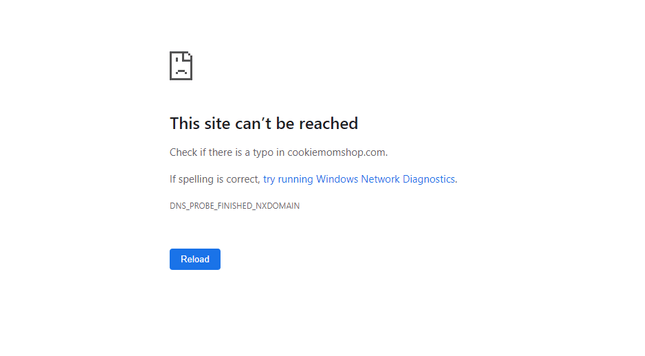
Why Website Crashes Happen
Website crashes are usually caused by one or more of the following:
- Server overload or downtime
- Coding errors or plugin conflicts
- Security breaches
- Traffic spikes beyond hosting capacity
By identifying the root causes, you can take proactive measures to maintain stability.
6 Hidden Reasons Your Website Keeps Crashing
1. Poor Hosting Performance
Cheap or overloaded hosting often cannot handle traffic spikes. Shared hosting may slow down or crash your site when multiple websites compete for the same resources.
2. Outdated Software and Plugins
Running old CMS versions, plugins, or themes may lead to compatibility issues. For example, an outdated WordPress plugin may conflict with the latest PHP version, causing site crashes.
3. Plugin or Script Conflicts
Installing too many plugins or poorly coded scripts can overload your server. Plugins that serve similar functions may conflict and create errors.
4. Traffic Surges
Unexpected traffic spikes — from viral content, email campaigns, or social media — can overwhelm servers if resources aren’t scalable.
5. Security Breaches and Malware
Hackers may exploit vulnerabilities to crash your site, steal data, or inject malicious scripts. Malware can also slow down servers and cause repeated crashes.
6. Lack of Regular Maintenance
Neglecting backups, updates, and monitoring increases the risk of unexpected crashes. Small errors accumulate over time, eventually causing downtime.
7. Database Overload
Websites with heavy content or e-commerce stores can overload their databases. Poorly optimized queries or large product catalogs may slow down or crash the site under load.
Real-World Examples of Website Crashes
- E-commerce stores lose sales during downtime from high holiday traffic.
- News websites experience crashes after viral articles surge beyond server capacity.
- Corporate websites face reputational damage when downtime coincides with critical product launches.
These examples highlight why proactive monitoring and robust hosting are essential.
How to Prevent Website Crashes
- Upgrade Hosting
Choose reliable hosting with scalable resources and 99.99% uptime guarantees. Consider VPS, cloud hosting, or dedicated servers. - Update Software Regularly
Keep CMS, plugins, and themes updated to avoid conflicts. - Limit Plugins and Scripts
Use only essential plugins and ensure they are optimized for performance. - Use Security Measures
Install firewalls, anti-malware tools, and SSL certificates to protect your site. - Monitor Performance
Regularly check server load and website performance with tools like:
- UptimeRobot
- Pingdom
- Implement Backups
Automated backups allow quick recovery if a crash occurs. - Optimize Databases
Regularly clean and optimize databases to reduce load and prevent crashes.
Tools to Monitor Website Stability
- Google Analytics – track user behavior and errors
- GTmetrix – check website speed and performance issues
- Hotjar – visualize user interactions to find crash triggers
Conclusion
If your website keeps crashing, it’s not just inconvenient — it affects revenue, SEO, and user trust. In 2026, ensuring website stability is crucial.
By understanding hidden causes like poor hosting, outdated software, plugin conflicts, traffic surges, and database overload, you can implement solutions to prevent downtime and improve user experience.
Investing in good hosting, regular maintenance, database optimization, and monitoring tools ensures your website runs smoothly, stays secure, and retains visitors.
